Showing posts with label EKSuccess. Show all posts

Monday, October 21, 2013

Playing with my Stamping Gear

With Summer's end comes the time of year where I'm sick of working on the cookie books for Christmas and desperate to dive into Halloween greetings.  Anything NOT Christmas is in order.  While the books are not yet done, I find I get a little sloppy with them, so it's time to put them aside for a bit. 

Here is the first of three Halloween designs.  First a shot of the stuff I used to make it.  I went a little nuts when the Stamping Gear hit the market about a year ago.  I've been buying stamps steadily to use with it, everything I like, which was kind of a lot.  What can I say?  It's a gadget for stamping!  If I were a cat, this thing would be cat nip....just sayin'

It's sold under the Inkadinkado logo, parented by EK Success.  That green cog is the large round version of the tool.  It has a small round as well as a set of ovals, rectangles and squares too.  Essentially it acts as a spacer so you can evenly place images around the shape you've chosen.  They sell a line of stamps made for the Gear, but you don't have to limit yourself to them.  Any foam mounted stamp can be used.  I took one of the clear stamp skulls in the set below, mounted it on foam and used it with no problem.  Sure, sure the clear stamps stick without foam, but if you want the tool to work you need the height of the foam added to the clear stamp for it to work. 

That set of stamps in the center of the Gear is one they sell for the Gear - its their Halloween offering from last year.  I used the branches in the design below.  It should be said that the gear works best with images that are roughly 2" or less.  Anything larger won't fit well onto the handle they provide. 


You can see that by varying the color and the notch you use you can layer in the images until the cows come home.  A wreath of anything you can think of becomes possible.  The large circle was used on the front and the small was used on the inside.  I wanted the bats to have some dimension, so stamped them individually and then fussy-cut them out while watching mindless television. 
 
The Gear is a keeper.  If you like to make frames around things, this is a great twist on the standard.  There are lots and lots of Gear stamps available and more every season.  And, with a little ingenuity ANY stamp, as long as it's foam mounted, can work with your Gears.  You can probably even use wood mounted as long as you mark the center of the image on the wood and line that up with the notches on the Gear as you stamp.  Put it on your Amazon Wish List for Christmas! 


Tuesday, September 27, 2011

The Halloween 4-Square - This one's for Barb Housner

Barb left a comment on the Cool Cat Card Class post and as promised, I made this one for her!  Thanks for your support!

Ahhh, the four-square.  A timeless card design I use again and again.  I don't think there's been a major holiday in the last 10 years that has not seen me use this design in one way or another.  And, if you ever wondered what people see in those Inchie stamps from Inkadinkado, well here you go.  I own no less than 13 sets and I believe there is one on the way. 

If you decide to dive into the Inchie scene, do yourself a solid and buy the 1", 1.25" and 1.5" square punches from EKSuccess.  You'll get nice even tiles with no measuring and a perfect .25" or .5" matt with just a squeeze.  How cool is that? 

I hung these little guys on a big, full, yellow moon made from Spellbinder's nesting circles set.  They are matted with orange and black glitter paper.  A 'Happy Halloween' puctuated with sparkly brads by We R Memory Keepers and a sprinkling of sequins finishes this one off.

Enjoy! - AMK

Saturday, September 24, 2011

Halloween Card Class - a rainy afternoon project

It's Saturday here in Cedarburg and man, is it raining.  Dennis Diebold must have washed is wife Lynn's car again...He tells me that's the surest way to make it rain.   To while away the afternoon I put this little card together.  It's one of those piles you saw on the floor in a previous Halloween post.  Hopefully the pictures will make things clear. 


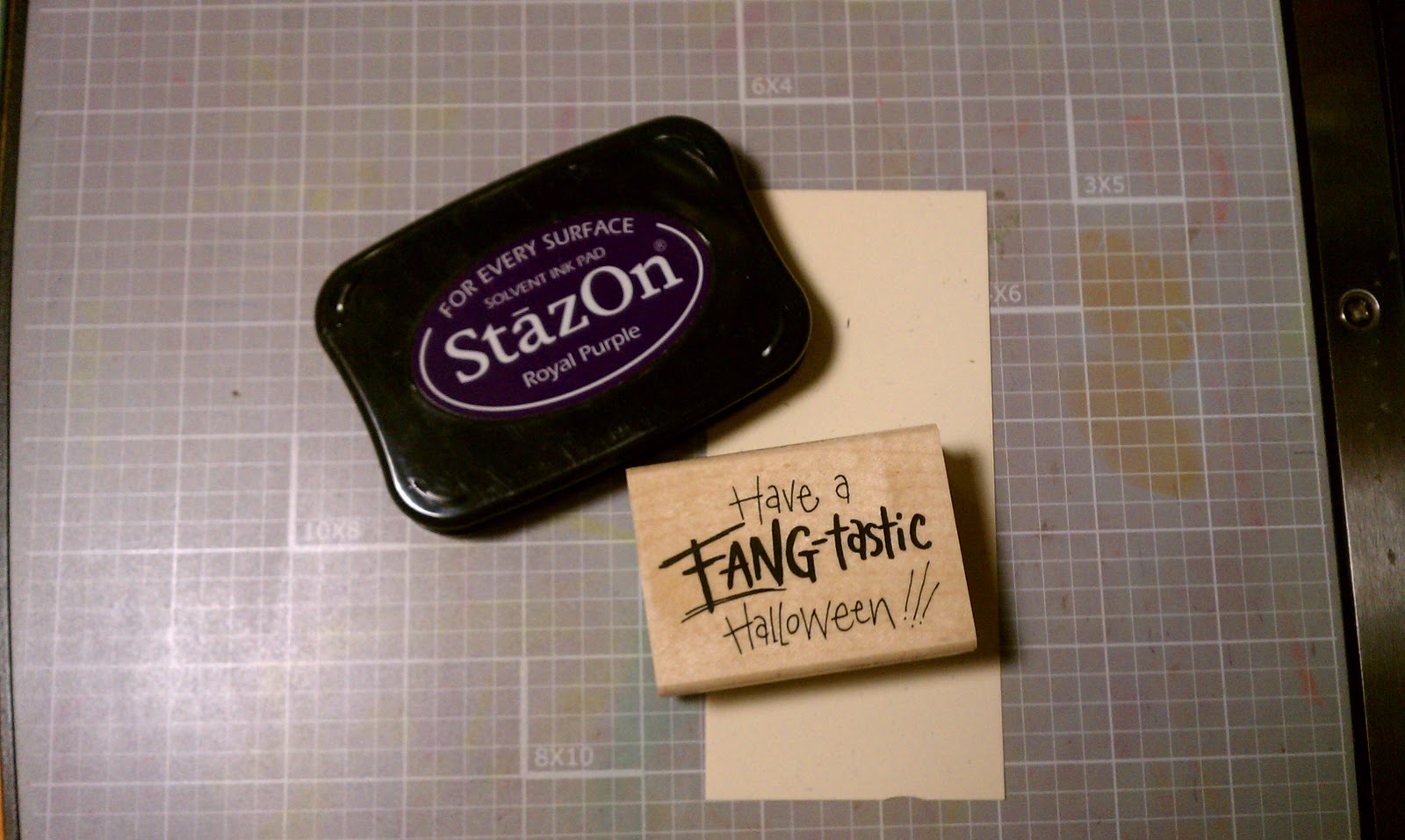
First - we have to give credit where credit is due:  Here are the tools you'll need: 

Sizzix Strip Die - Bats;
EK Success punch - Drops;
Sizzix Tim Holtz Alterations embossing folder - Halloween Words;
Stampendous H258 - Fang-tastic
Staz-On - Royal Purple
Versa Mark - Grape (not pictured)
Colorbox Re-Inker - Lava Black (not pictured)
Small rubber brayer
Pallet board
Background paper is from Cosmo Crickit, Haunted collection - Macabre
Transparency Film
White, beige, orange, purple, black card stock scraps
Die Cutting Machine - I use the Big Shot.  It's my workhorse. 


The finished card is A7 - that's 5x7.   The embossing folder is A2 - that's 4.25 x 5.5.  So trim your papers accordingly. 

Ok - Let's get started.  If you click on the finished card to embiggen it, you will see the transparency overlay over the words.  This adds to the interest of the card and makes people say - 'How'd you do that?'

Well - here's how:

Cut your transparency film to fit the folder.  There are two definate sides to this stuff.  The rough side is meant to take the ink.  So always use that side down. 


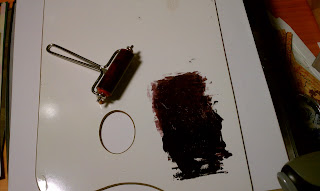
Dribble a little Lava Black ink onto a pallet board and roll it around with the brayer until you get a nice even smudge. 


Open the embossing folder and roll the ink onto the back panel with the brayer.  Don't think to much about this or you will go crazy.  You are working with a transparency and that means everything is in reverse.  Lay the film inside the folder with the rough side down and roll it through your die cutting machine.


Next, cut a piece of white card stock the same size as the transparency, lay it into the emobssing folder and run it through.  Don't worry about cleaning the folder.  The ink, remember, will be on the back side of the white card stock, so you won't see it. 

Load the brayer with ink again, and roll it onto the front of the white embossed card. 


Layer the transparency over the card stock and attach using a few strategically placed mini-glue dots. 


Ink the stamp with royal purple and stamp onto beige card stock scrap, trim close to image, edge with grape ink, and matt with first orange and then purple.  Don't use white for this image.  You want those fangs to pop, so they should be the only white element to the card. 


Ok - if your hands are not clean, go wash them.  We want these fangs to be a nice bright white.  I had to toss my first set because my fingers were full of ink.   Punch out two sets of the fangs using the Drops punch.  Make sure your paper does not have an obvious texture as that's usually only on one side.  You'll be turning one of the sets over to get the shapes you need for this. 


Die cut one of the smaller bats from the strip die using a black scrap.   Now you have all your pieces, so let's assemble the card. 

I liked the background paper so wanted to show more of it rather than less.  Attach the embossed panel to the card as shown and trim off the pieces that don't fit on the front.   Layer on the stamped image.  Pop up the fangs and the bat with some foam squares.  Ink the outer edge of the card with grape ink.  Stay away from the transparency with the grape.  The front of the transparency will not take the ink and you'll just get it all over your fingers.  If you want to add a purple edge to the transparency, you'll have to do it with the Staz-On. 


That's It!  Hope this was all clear.  If you get confused, post a commnt.  I'll respond in kind. 

Enjoy! - AMK